The network already knows what is on it.
ARKYPEL reads what your infrastructure and tools already record, identifies every device from how it talks, and asks one targeted question only where doubt remains. Here is how, step by step.
Read the records you already have.
Every switch, directory, DHCP server, hypervisor and security tool keeps a partial list of what is on your network. None of them is complete. Together, they come close. ARKYPEL reads each one with read-only access and merges them into one inventory.
Reads from the tools you already run.
- Directory and identity
- Active Directory
- Network
- Aruba
- Switch tables
- DHCP
- Wi-Fi controllers
- RADIUS
- Virtualization
- Vulnerability scanners
- IT service management
- Endpoint security
- Microsoft Defender
- Also
- Network capture (optional)
What each source tells us.
Switch tables
- How it is read
- SNMP, read-only.
- What is read
- MAC address
- Switch, port, VLAN
- ARP (IP to MAC)
- LLDP / CDP neighbors
- What it tells us
- Where every device is plugged in.
- How it is read
- SNMP, read-only.
- What is read
- MAC address
- Switch, port, VLAN
- ARP (IP to MAC)
- LLDP / CDP neighbors
- What it tells us
- Where every device is plugged in.
- How it is read
- LDAP, read-only account.
- What is read
- Computer objects
- Operating system and version
- Last logon
- Organizational unit
- Service accounts
- What it tells us
- Which machines the domain knows, and where they sit in the organization.
- How it is read
- Lease export or read-only API.
- What is read
- Lease
- Hostname
- Vendor class
- Requested options
- What it tells us
- Names, and the first hints of what a device is.
- How it is read
- Read-only role.
- What is read
- Virtual machines
- Hosts
- Guest OS
- Port groups
- What it tells us
- The virtual estate, including machines nobody registered.
- How it is read
- Read-only account or log export.
- What is read
- Associated clients
- SSID
- 802.1X identity
- What it tells us
- Which device sits behind a randomized MAC address.
- How it is read
- Read-only API token.
- What is read
- Scanned hosts
- Open services
- Findings
- What it tells us
- What was scanned and what was missed. Findings feed Prioritization.
- How it is read
- Read-only API token.
- What is read
- Declared assets
- Owner
- Business service
- What it tells us
- What the organization believes it has.
- How it is read
- Read-only API token.
- What is read
- Managed endpoints
- Agent health
- What it tells us
- Which devices are protected, and which are not.
- How it is read
- Targeted SPAN or TAP on chosen segments.
- What it tells us
- How devices behave on industrial segments or zones with unknowns.
More witnesses, more certainty.
Every source is a witness. A device seen by the directory, DHCP, a switch and the endpoint agent is certain. A device seen only by a switch exists, sits on a known port, and moves on to typing.
Every device betrays what it is, without being asked.
A passive engine identifies each device from how it already talks: network stack behavior, DHCP, the outer layer of encrypted sessions, industrial protocols. Nothing is sent to the device.
Ask one question, only where doubt remains.
ARKYPEL knows which assets it is unsure about and picks the cheapest question that would settle each one. One lightweight query per uncertain IT device, then stop. Never an active packet in industrial zones. Credentialed inspection only on the servers you authorize.
The order is about cost and safety, not about which method matters most. Records, observation and targeted questions run as one loop.
CMDBs are museums. Here is the gap.
ARKYPEL compares what your CMDB declares with what the network actually shows, and gives every asset a status.
- MatchedDeclared and confirmed.
- ConflictingDeclared, but the network says otherwise.
- ARKYPEL onlyOn the network, missing from the CMDB.
Confidence, not a list.
- hostname
- dc-paris-01
- type
- Domain controller
- location
- switch core-sw-02, port Gi1/0/14, VLAN 10
- confidence
- High
- witnesses
- Directory, DHCP, Switch table, Endpoint agent
- CMDB status
- Matched
- hostname
- (none)
- type
- Not typable
- location
- switch acc-sw-07, port Gi1/0/32, VLAN 40
- confidence
- Exists, type unknown
- reason
- Seen in the switch table only, no traffic on monitored segments, in an industrial zone where no question is asked.
Every line carries the evidence behind it, so your team can audit why we say a device is a PLC. When we cannot type a device, we say so, and why.
One collector. Read-only. Hosted where you need it.
- 1
Deploy one collector VM, air-gap capable.
- 2
Issue read-only access: an SNMP user, an LDAP reader, a read-only hypervisor role, API tokens for your tools.
- 3
First inventory, with evidence per asset.
- 4
Continuous collection, so the inventory stays current.
No agent required on endpoints. Industrial zones are observed, never probed.
On top of the inventory, a continuous assessment.
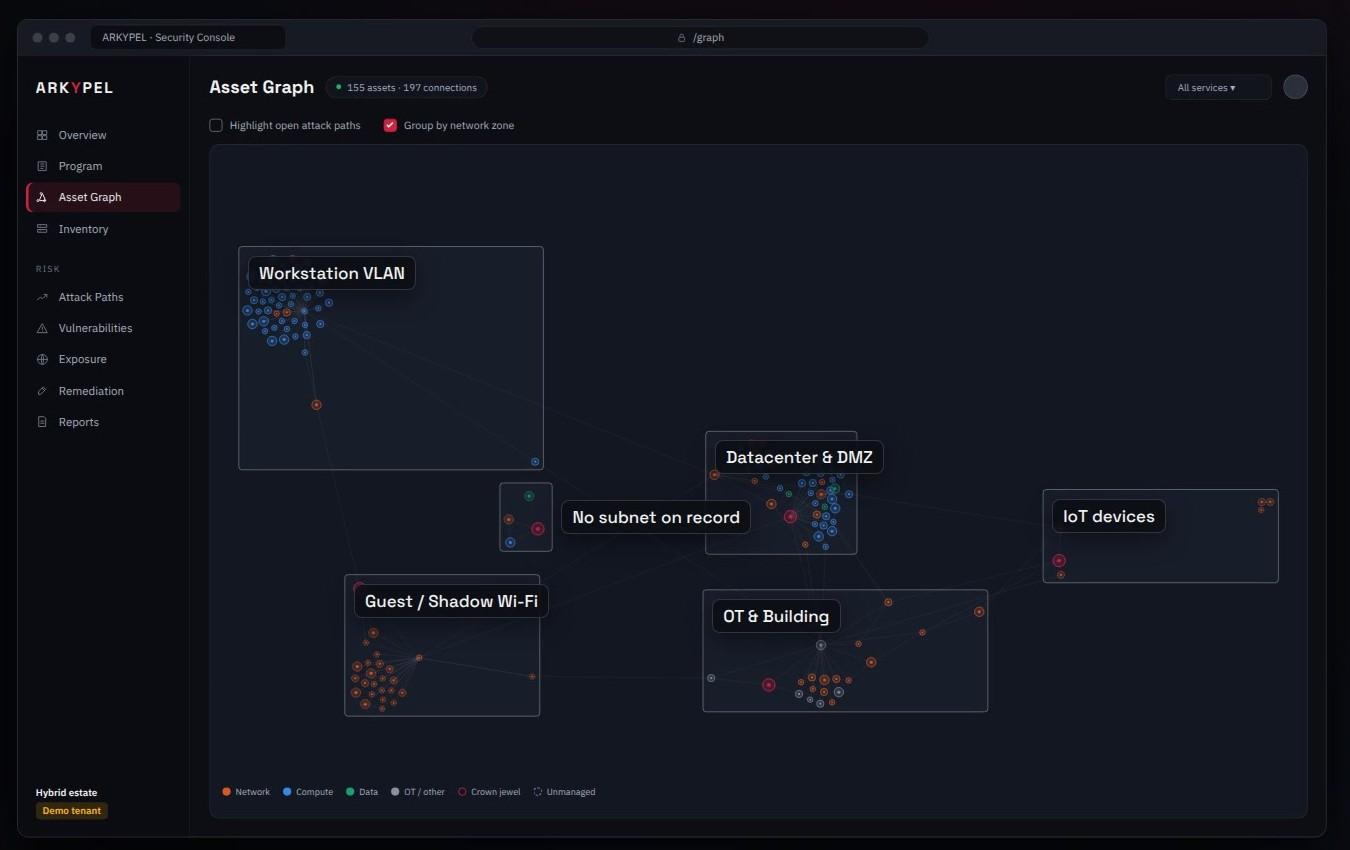
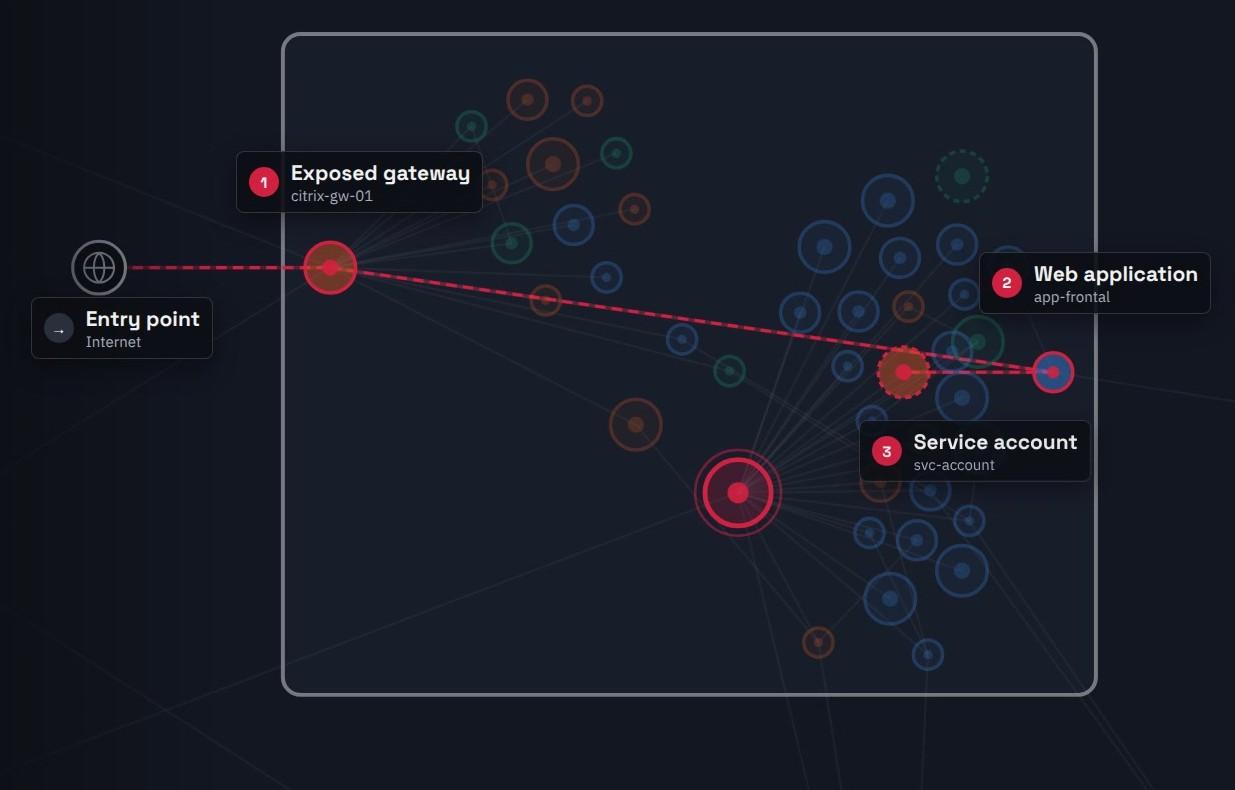
- Prioritization
- Risk that knows your environment.
- Validation
- Prove the path, or close it.
Product names and logos are trademarks of their respective owners. Their use on this page identifies the systems ARKYPEL is designed to read from and does not imply endorsement or partnership.